HOME | DD
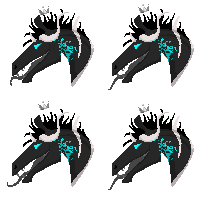 Expression-Control — Mane and tail painting tutorial #2

Published: 2014-06-07 19:48:19 +0000 UTC; Views: 1843; Favourites: 50; Downloads: 5
Redirect to original
Description
YAH ANOTHER TUTORIALHope this helps!
Horse stock belongs to me
Program is Photoshop elements 11 and yes I used a tablet.
i dont use a color palatte but i thought it was needed for the tutorial.
any questions? just ask!
Related content


Comments: 15

What is the easiest way to get rid of the mane when it is laying on the horses neck?
And also great tutorial I'm trying it out right now!
👍: 0 ⏩: 1

When the mane is on the neck I normally just paint over it or use the clone tool+ some repainting to get rid of it.
Thank you, glad you like it!
👍: 0 ⏩: 0

question:for the opacity is that the layer or the brush set on that opacity?
👍: 0 ⏩: 1
Brush set on the opacity.
👍: 0 ⏩: 1
thats what i though xD lol i just spent 2 hours tring to master this hair technique.... 0_0 it didn't work for me... and I had tried so well... xD lol I think it has something with the difference between gimp and Photoshop brushes...makes it hard for me

👍: 0 ⏩: 1
Yes, it would probably be harder with gimp. But another tip- if your just practicing, use a huge sized page- and I mean Like HD 3000x--- especially if your just starting.
I think if your using gimp, my first tutorial would probably be a better bet.
I will go download GIMP and try it out, if something better works I might just make another tutorial!
Oh btw- do you use mouse or tablet?
I've never been able to make decent manes and tails without a tablet, but there are some people who makes really good things with a mouse.
👍: 0 ⏩: 1
well sometimes I use a mouse..usually it is a tablet depending
if I am at my grandmas or not. Which I am. And i do not have
a tablet here and I always forget to bring one xD
But if you could maybe make another tutorial that would be amazing! xD lol
I have tried so many tutorials cause I am always trying to improve. I have
worked for about 3 hours plus the past 2 days trying to master a good technique...so far
no luck xD
👍: 0 ⏩: 1
Okay, I will go download it now and see what I can do 
👍: 0 ⏩: 1
that would be awesome c: I will be waiting xD lol
👍: 0 ⏩: 1
so I just tried it out, does pen pressure not work in gimp?
--anyway, I tried it with fade tampering on reverse and it faded out the ends like pen pressure would.
It didn't look as good as photoshop but it was basically the same.
I think I see what you're talking about though, but I think its more GIMP than the brush or you. Gimp is free- so it doesn't have as much stuff as photoshop. I used the 002 hard brush set with low opacity aspect 0 angle 0.
The airbrush may look better at times if you want to try that instead of the brush?
I used this tutorial
👍: 0 ⏩: 2

Hi, I was wondering with my manes... how can I reverse fade tampering?
👍: 0 ⏩: 1
If you're using GIMP, The newest version, while using the brush tool you have options on how to change your brush.
Under where you choose the brush and sizes there should be a small box with a + on it. Click that and it drops a box down where you can change the brush dynamics.
There is a pretty long list but 'fade' should be one of them. Once you find that you can choose the inverse and the length of the fade.
So far that is the only way I know how to get tablet like effects on gimp, so far I am not able to find pen pressure and tablet settings.
👍: 0 ⏩: 1
Wow, it worked! Thank you very much!
👍: 0 ⏩: 1
Haha always happy to help ^-^
You're welcome!
👍: 0 ⏩: 0
mk...I will try again 
👍: 0 ⏩: 0